
Auto Ducking
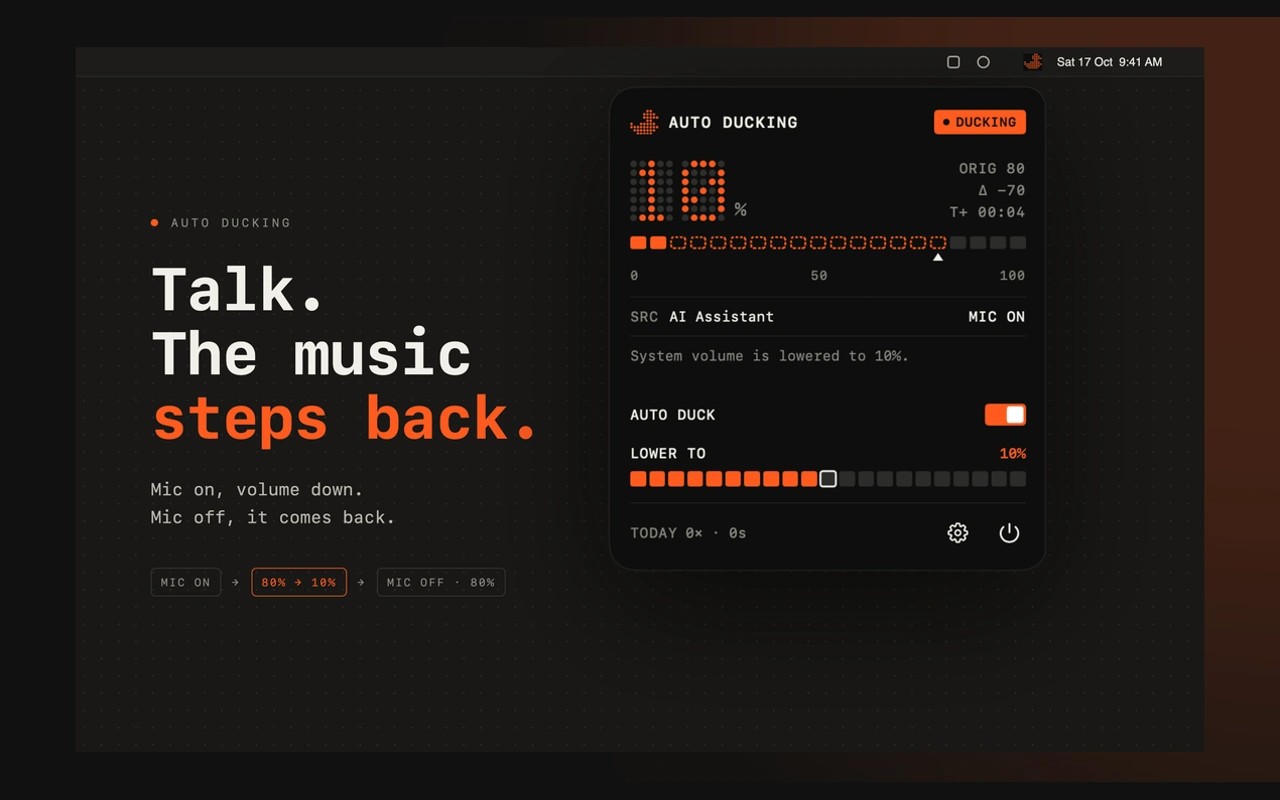
Auto Ducking lowers your Mac’s system volume when the microphone becomes active, then restores the previous volume when microphone use ends. It is designed for keeping music, videos or ambient audio playing at a quieter level while you dictate, record or speak to an AI assistant. It runs in the menu bar and requires macOS 14 or later.
You can adjust how low the volume goes, the delay before it returns and the fade timing. Each sound output keeps its own settings, so speakers and headphones can use different levels. Presets let you save setups for different tasks.
Any Mac app that uses the microphone can trigger automatic lowering. You can limit it to selected apps or exclude apps you want to leave alone. Voice and video calls are exempt by default; switching off the “During Calls” setting makes the volume lower whenever the microphone turns on. Global shortcuts let you pause automatic lowering, lower the volume manually or restore it immediately. Restoring manually keeps the volume up until the microphone turns off.
Auto Ducking checks whether the microphone is in use without recording, transcribing or uploading audio. Settings, presets and usage statistics stay on your Mac. Anonymous crash reporting can be turned off in Settings.
Similar Apps

SoundSource
Utilities
BackupList+
Utilities