Timerfly
Timerfly tracks employee attendance, computer activity and project hours for teams on Mac and Windows. It marks attendance against individual shifts and shows who is working, idle or on a break.
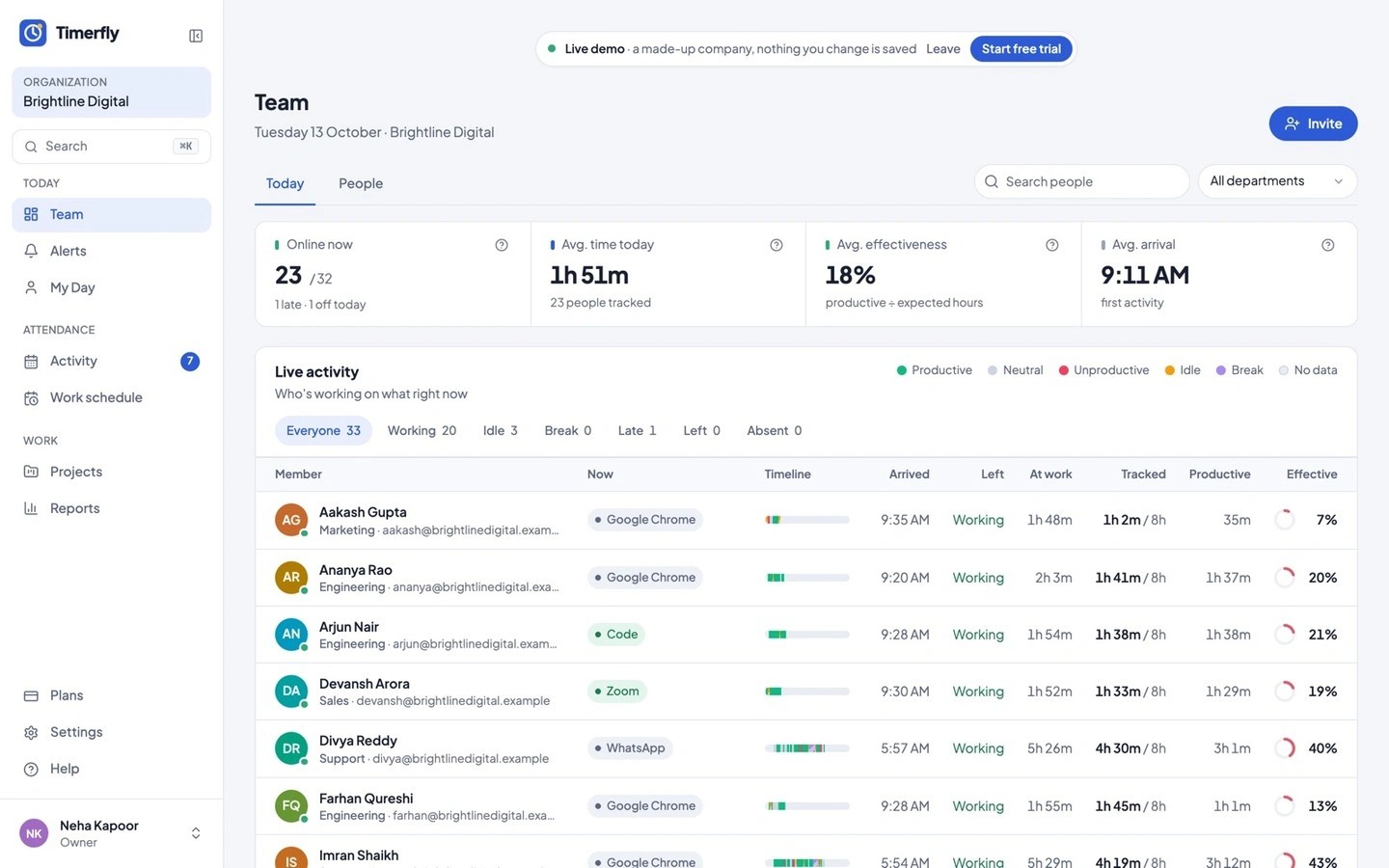
Timerfly tracks employee time, attendance and computer activity for teams on Mac and Windows. The desktop app can start recording with the first keyboard or mouse use during scheduled work hours, or use a manual Start work button. A team dashboard updates every minute with working, idle, locked-screen and break status. Time recorded offline is saved locally and sent when the connection returns.
Attendance is checked against each person’s schedule, including overnight shifts, with configurable grace periods for late arrivals and early departures. Teams can manage leave, request shift swaps and add meetings or field work as offline time for manager approval. Schedules can be edited through Excel and shared as PDFs.
App and website time is classified as productive, neutral or unproductive using rules that can differ by department. Individual timelines separate this activity from idle time and breaks. Project and task timers track hours separately, with Excel reports and revocable client report links for sharing project hours.
Screenshots are off by default and can be blurred when enabled. Timerfly detects keyboard and mouse activity without recording what is typed. Tracking pauses during breaks and private time, and nothing is recorded outside the workday. Employees can review their own timelines, reports and screenshots; department managers can review only the people they manage.
