
Strata Mac Cleaner
Strata Mac Cleaner maps disk usage and helps remove caches, app leftovers, duplicates and unused local AI models. You can review items before moving them to the Trash and restore them while they remain there.
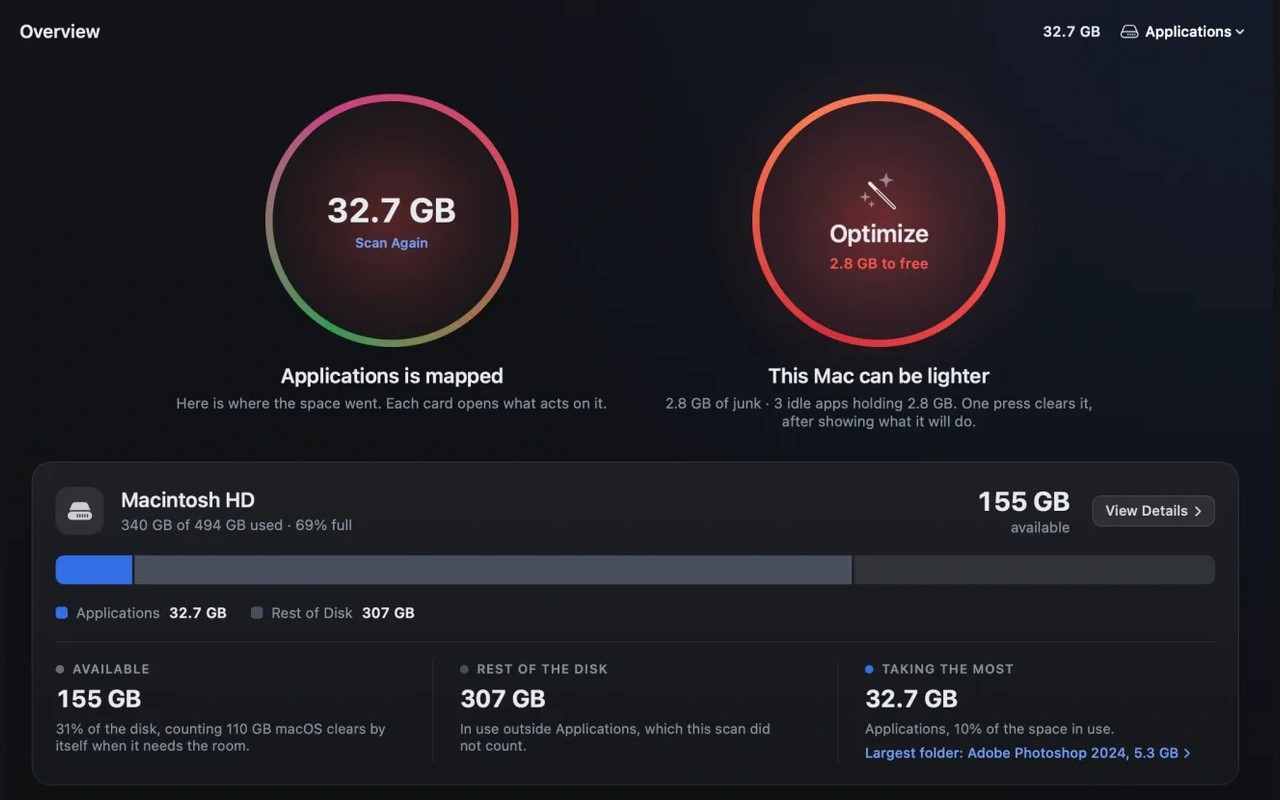
Strata Mac Cleaner helps you find what is taking up storage and choose what to remove. Its Space Map draws drives and folders to scale, with views for apps, folders and file types. Search filters files by name, extension, kind and size, while the System Data view breaks down caches, logs, backups and other storage that can be difficult to locate.
Cleanup tools cover app caches, developer build folders, leftover installers and files from deleted apps. The uninstaller checks related Library files against other installed apps and excludes shared vendor folders. The duplicate finder compares file contents rather than names and accounts for copies that share storage on disk.
The AI Data Sweeper identifies local models and their sizes across supported AI apps. It can move removable models to the Trash, but Apple's protected models are shown with links to the relevant settings instead. For Ollama 0.40 and later, it provides an Ollama removal command to copy rather than removing the models itself.
Before cleanup, Strata shows the items it will move. Removed files go to the Trash, and Recently Removed can restore them for up to 90 days, provided the Trash has not been emptied. Moving files to the Trash does not reclaim their space until it is emptied. On disks without a Trash, removal fails rather than deleting files permanently.
A monitor and menu bar panel show storage, processor, memory, battery and network activity. Scan history lets you compare folder sizes over time and export reports. Scans and reports stay on your Mac, with no telemetry or analytics. Full Disk Access is needed to include protected folders such as Mail and Messages. Scans can still run without it, but their totals are incomplete.
More in Utilities

Pasteboard Viewer
Utilities
Displaperture
Utilities