
Folder Peek
Folder Peek puts frequently used folders in the menu bar so you can browse and open their files. Folders can have separate menu bar items or share one menu, with file previews and keyboard shortcuts.
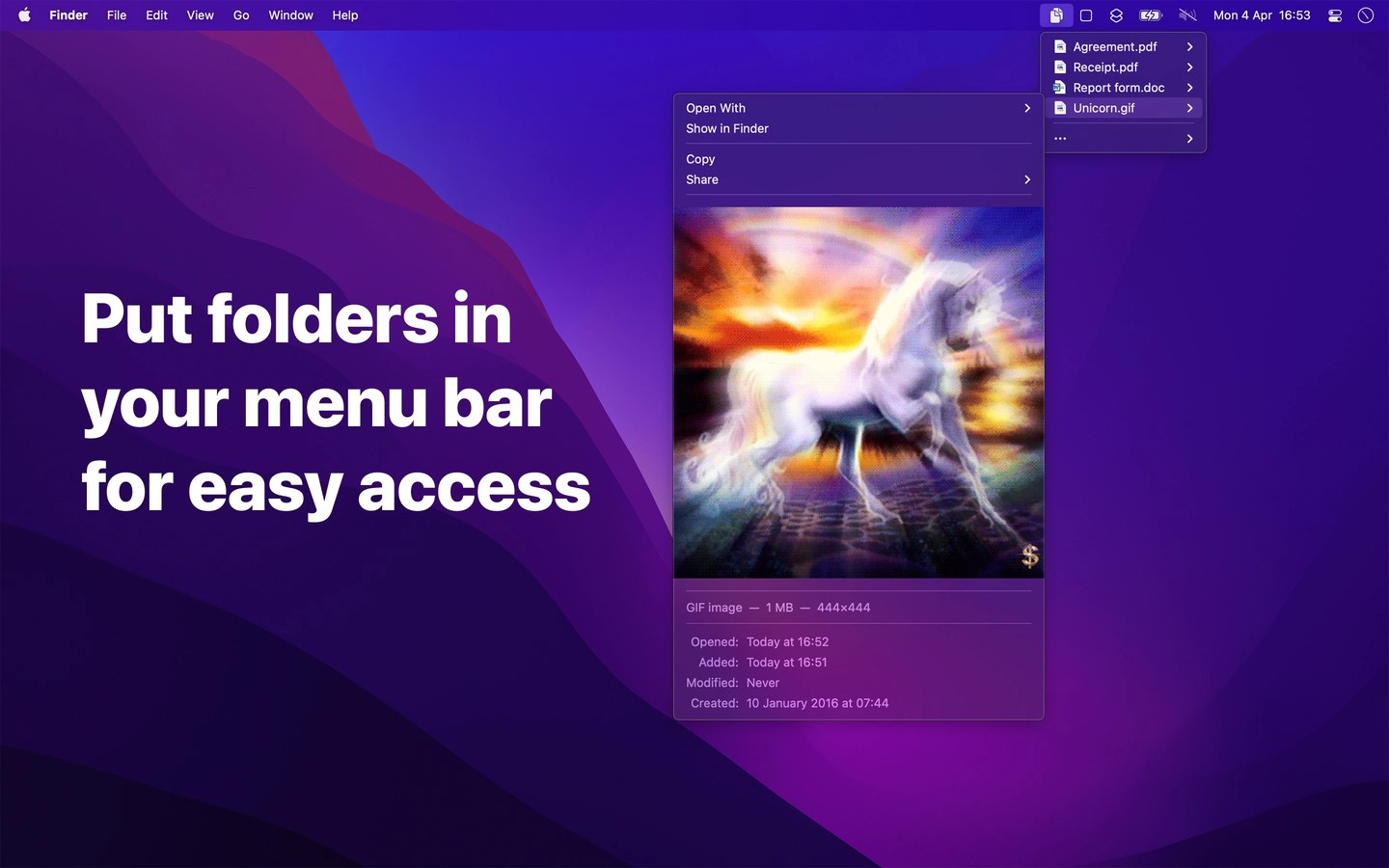
Folder Peek gives you menu bar access to folders you use often, such as projects, downloads, or screenshots. Add folders individually or group them under one menu bar item. Each folder can have its own settings, with contents shown in a submenu or directly in the shared menu.
You can preview files, open them in a specific app, and view or copy image and video dimensions. Files can be dragged out of the menu, with Option-drag copying instead of moving them. Dropping files into the menu is not supported; open the destination folder in Finder first.
Global keyboard shortcuts can open each folder menu at its menu bar icon or at the pointer. Shortcuts integration lets you show or hide folders for different projects or activities. You can also adjust sorting and limit how many items appear. Typing in an open menu highlights matching menu items rather than performing a full file search.
Adding the Applications folder turns the menu into an app launcher. To gather selected apps, files, or folders from different locations, create a folder containing aliases and add that folder to Folder Peek. The app follows aliases and symbolic links.
Finder Smart Folders and tag-based listings are not supported. Network volumes must already be mounted before you access them through the app.
Tags
More in Utilities

SoundBuddy
Utilities
MacMonitor
Utilities