
AgentDuck
AgentDuck tracks usage limits, tokens, and estimated costs for Claude Code, Codex, Grok CLI, and Cursor. Its menu bar panel also shows CPU, memory, battery, and local development servers.
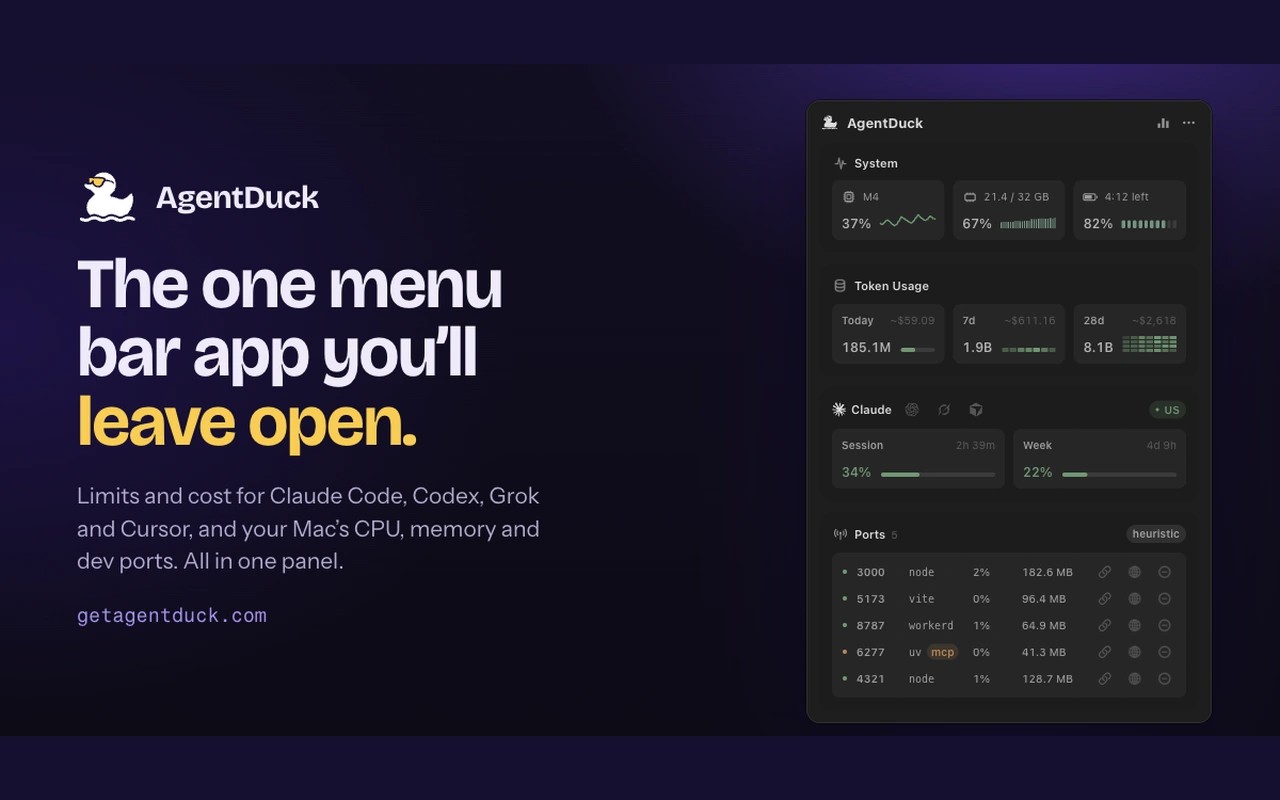
AgentDuck brings coding agent usage and Mac system monitoring into one menu bar panel. It tracks tokens and estimated costs for Claude Code, Codex, Grok CLI, and Cursor over today, the last seven days, and the last 28 days. It also shows each tool’s relevant plan limits and reset times.
Token counts for Claude Code, Codex, and Grok CLI come from local logs; Cursor’s come from your Cursor dashboard. A usage calendar breaks historical costs down by provider and model and can be saved as an image. Tracking xAI API spend requires adding a Management key.
The same panel shows CPU load, memory use, battery status, and development servers using localhost ports. You can stop a server from the panel after confirming the action; this only affects your own processes. The animated menu bar duck reflects CPU load, while moving water indicates an unfinished Claude Code, Codex, or Grok turn.
AgentDuck does not require a separate account and uses your existing tool sign-ins to retrieve plan limits. Logs, prompts, and projects stay on your Mac, and sign-in tokens stay in Keychain. The app connects to online services for limits, model pricing, and other functions. Anonymous usage statistics can be disabled in Settings, and crash reports are sent only when you choose to send them.
AgentDuck requires a Mac with Apple silicon.
Tags
More in Developer Tools

Push Hero
Developer Tools
LocalCan
Developer Tools