Things
Things is a personal task manager for planning your day and organizing projects. It brings calendar events and to-dos into one daily view, with separate lists for evening tasks and upcoming work.
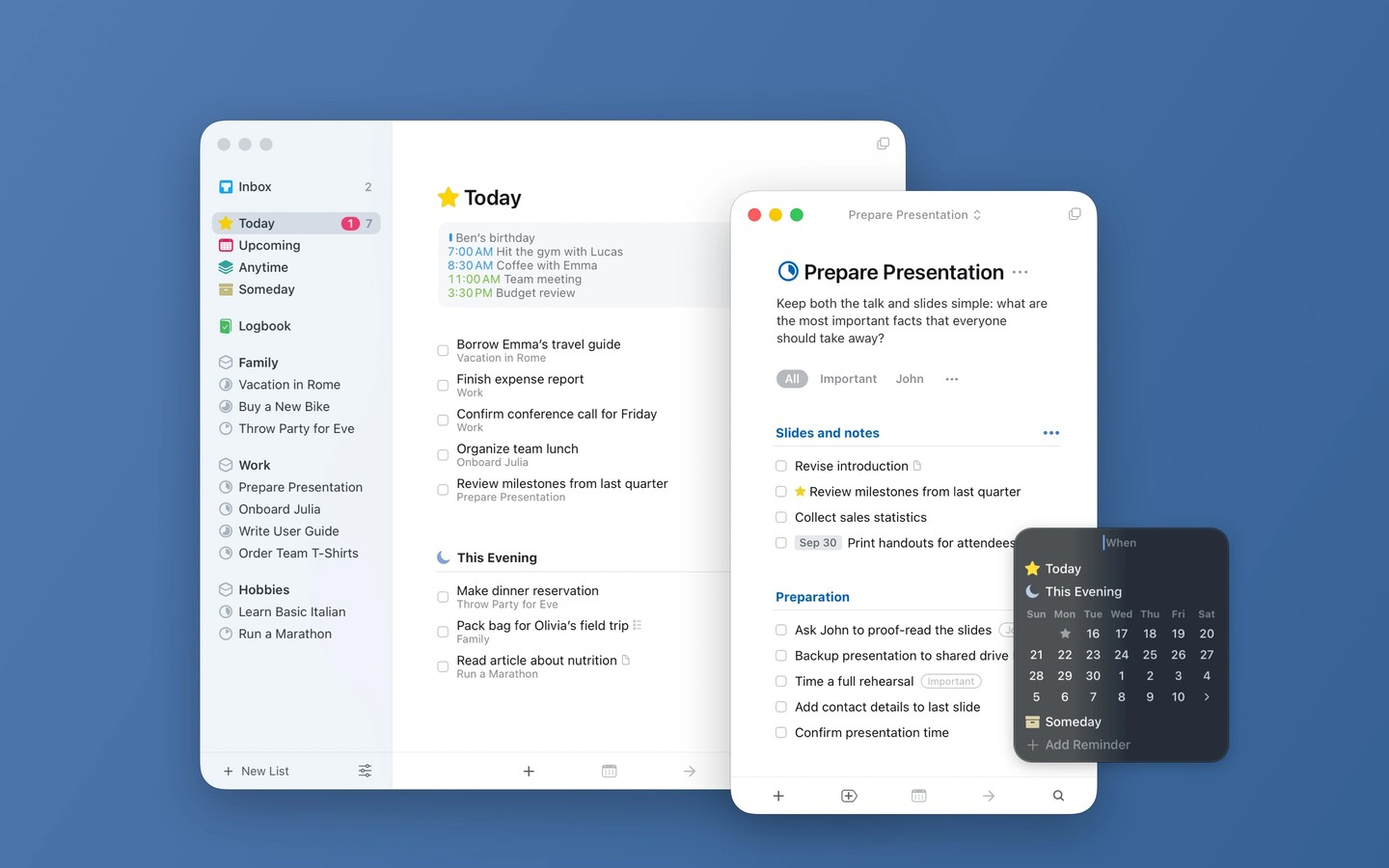
Things helps you organize personal tasks, plan your day, and break larger projects into manageable steps. To-dos can include tags, checklists, start dates, and deadlines. Within projects, headings let you group related tasks and rearrange whole sections together.
The Today list displays events from your selected calendars above your tasks. This Evening keeps tasks for later in the day separate, while Upcoming shows scheduled and repeating to-dos, deadlines, and calendar events for the coming days. You can reschedule tasks by dragging them, enter dates in everyday language, and set time-based reminders. Tasks you want to put on hold can go in Someday.
On the Mac, you can start typing to find a task, project, or tag without first opening a search box. Tag searches can filter tasks across the app. Multiple windows let you keep different lists or projects open and drag tasks between them, while a collapsible sidebar leaves more room for the current list.
Things also has apps for iPhone, iPad, Apple Watch, and Vision Pro, with Things Cloud providing synchronization between devices. The Mac app requires Apple silicon.
Tags
More in Productivity

Keystroke Pro
Productivity
GyazMail
Productivity