
DevKnife
DevKnife brings developer utilities into one native Mac app, from JSON editing and data conversion to HTTP requests and network inspection. It also adds syntax-highlighted Quick Look previews for code, configuration, and data files.
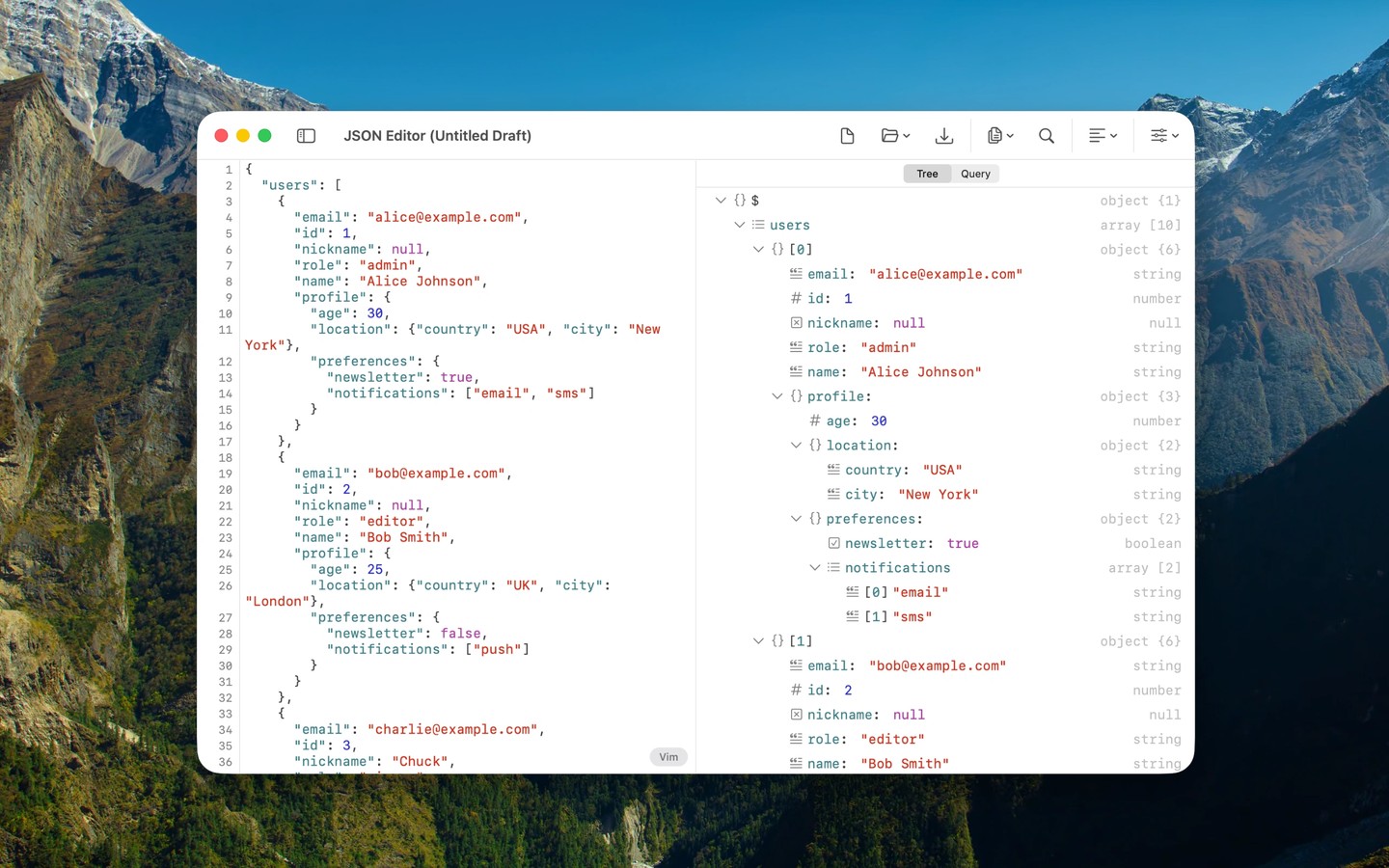
DevKnife combines everyday developer tools in a native Mac app. It covers editing and converting data, testing requests, comparing text, and inspecting files and network services.
The JSON editor supports a collapsible tree view, JSONPath and JMESPath queries, and automatic repair of broken data. You can convert between JSON, YAML, TOML, XML, and CSV locally on your Mac. Other tools provide side-by-side text comparisons, regular expression testing with live match highlighting, and spreadsheet-style CSV editing.
The HTTP client lets you send requests with headers, a body, and variables, then inspect formatted responses. Network tools include public DNS lookups across multiple resolvers, port scanning, and TLS certificate inspection from remote hosts or local files. An app bundle inspector shows metadata, embedded components, privacy manifests, entitlements, code signatures, and Mach-O dependencies.
DevKnife also extends Quick Look with syntax-highlighted previews for more than 30 file types, including code, configuration, documentation, and data files. It is made for Apple Silicon and requires macOS 14 or later.
Tags
More in Developer Tools

Icon Preview
Developer Tools
Super Notch
Developer Tools